Free badminton session organiser with smart player rotation, fair sit-outs, skill-balanced courts, an Elo leaderboard, shared session links, multi-session and multi-language support — installs as a PWA and works offline.
Launch Free App✨ Completely Free • No Sign-Up Required
Smart player distribution algorithm builds balanced match pairings for badminton, tennis, padel and pickleball doubles — everyone plays with different partners and opponents.
Designed for sessions with more players than court spots. The rotation algorithm equalises rest time so nobody sits out twice in a row while others never get a break.
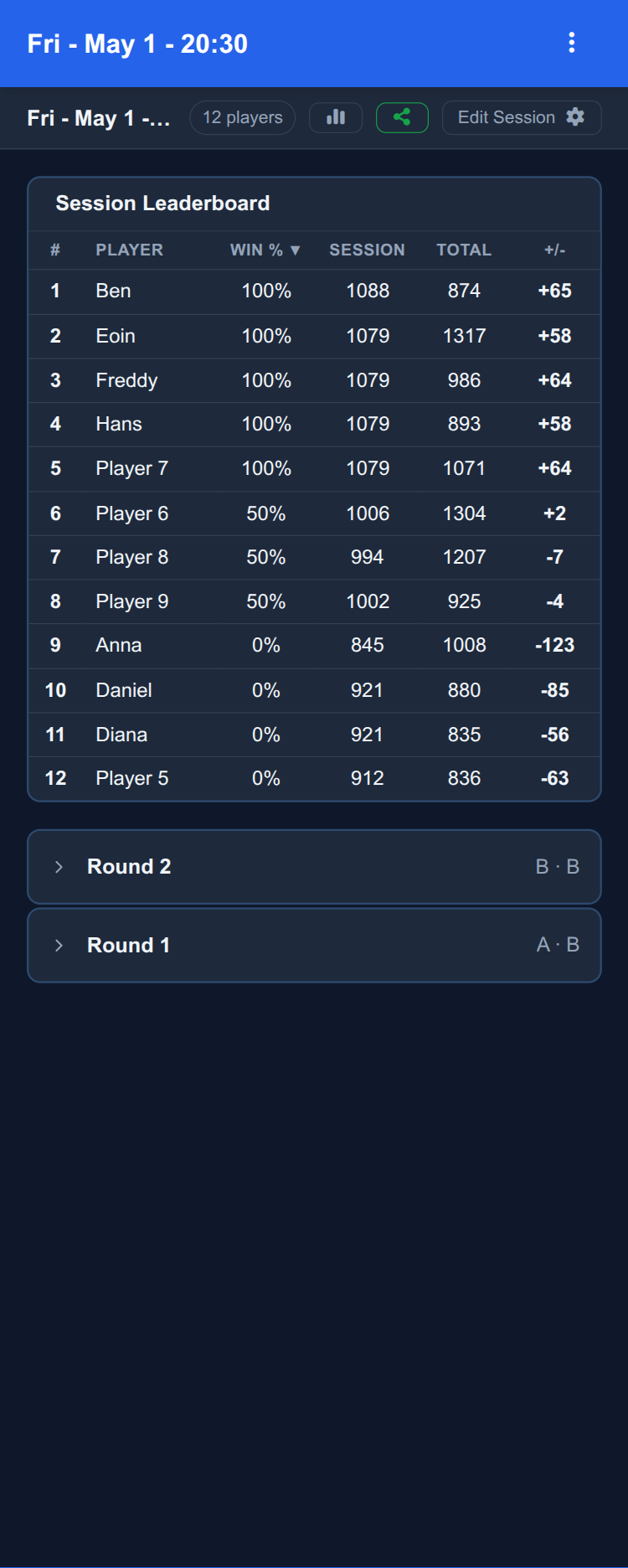
Optional skill-balanced court assignment uses OpenSkill / Elo ratings that update after every match. An in-app leaderboard shows how players compare across sessions.
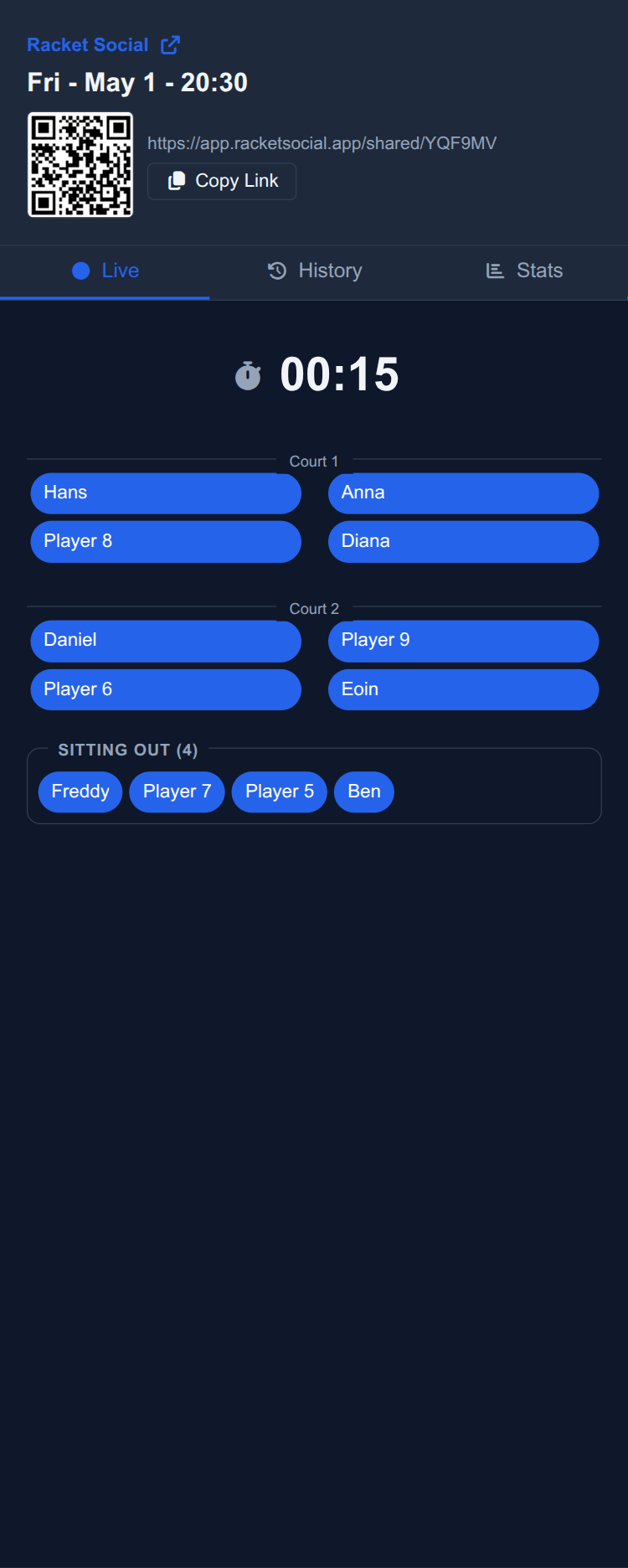
Turn any session into a public read-only viewer at
racketsocial.app/shared/<code>. Friends can watch live court
assignments, the sit-out queue and match history without creating an account.
Install Racket Social like a native app on iOS, Android or desktop. As a Progressive Web App it keeps generating matches, recording results and managing the roster even when venue Wi-Fi drops out.
Run multiple sessions in parallel — each with its own roster, courts, ratings and match history. The interface is available in 23 languages so the whole group can use it in their own language.
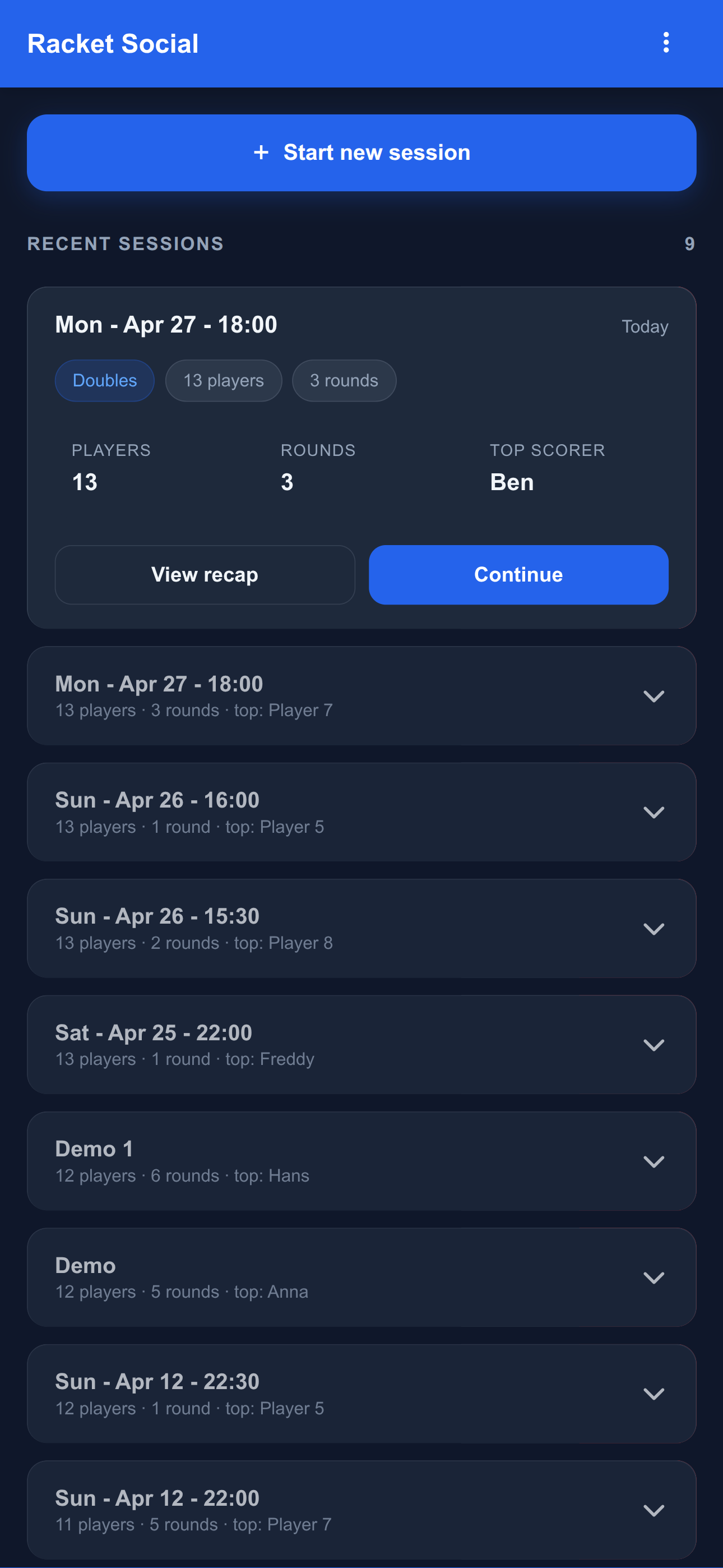
Sessions home — resume today's session or start a new one
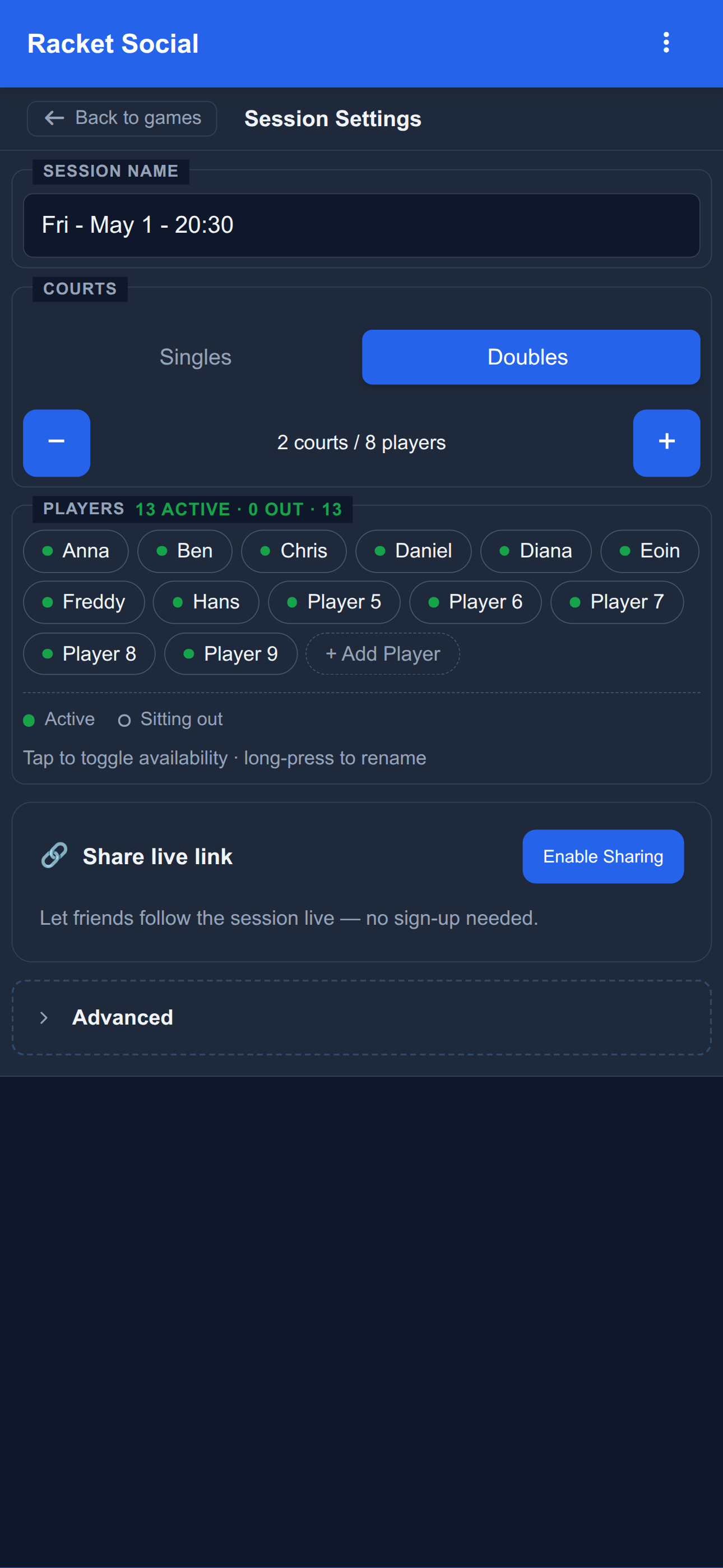
Set up courts, players and a public share link in one place
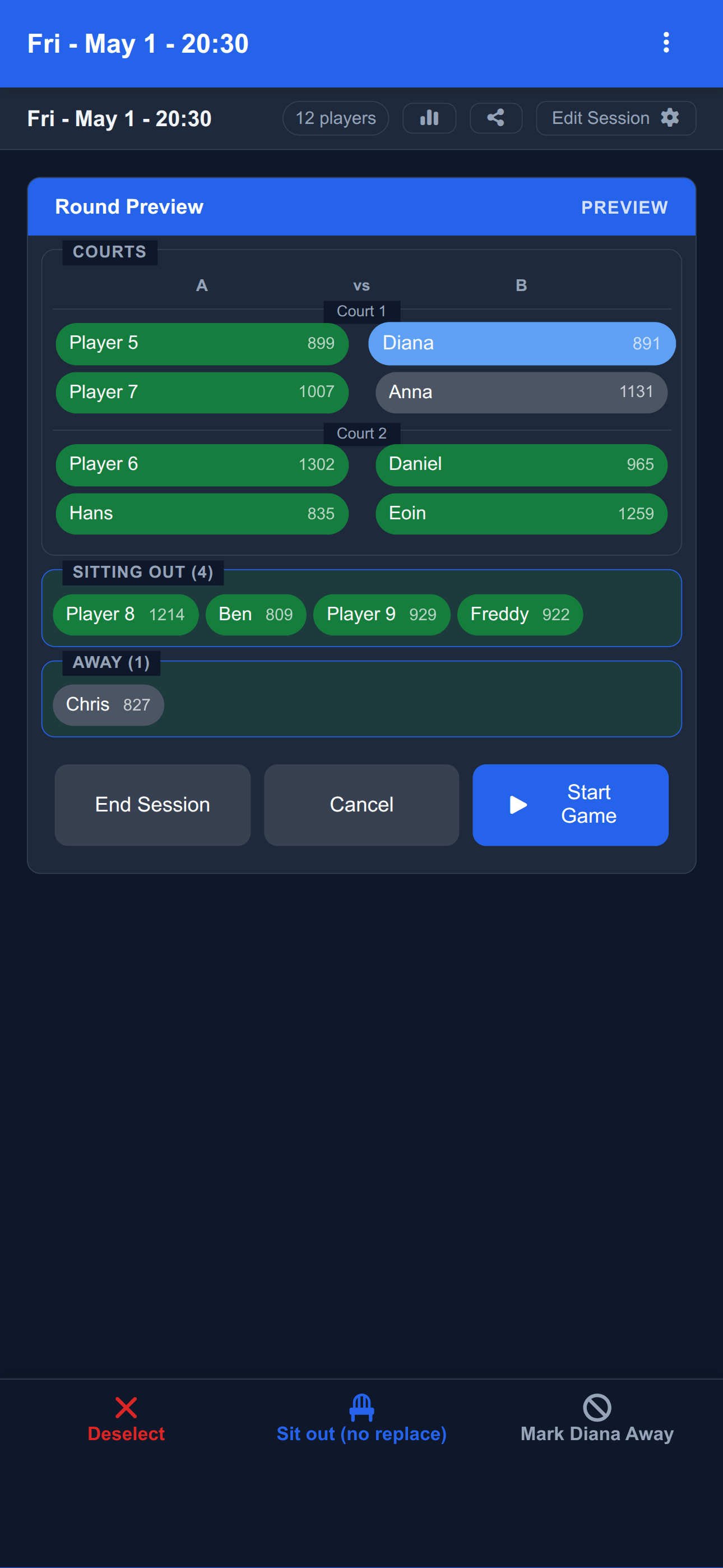
Skill-balanced courts generated automatically — preview, tweak, then play
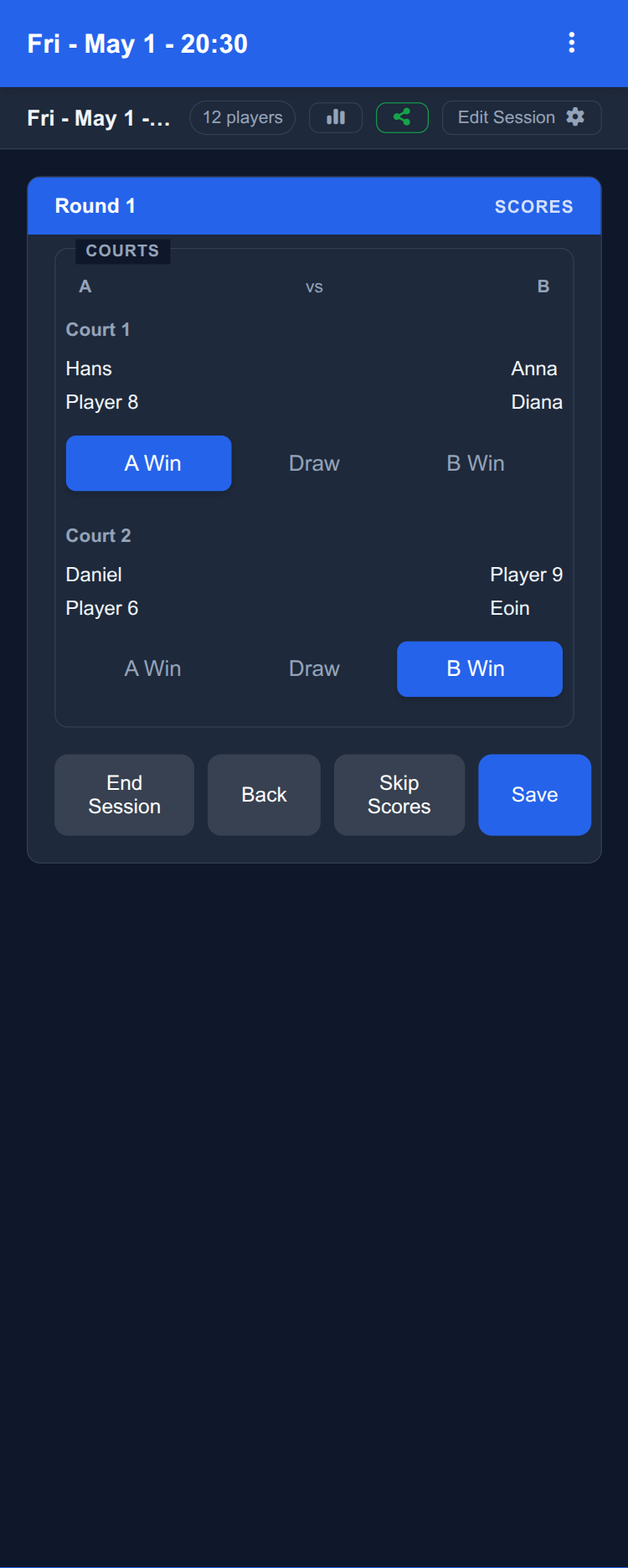
Log results per court — ratings update automatically after every match
In-app leaderboard with OpenSkill / Elo ratings and per-round expandable history
Share a read-only live view via QR or link — no sign-up needed
Hi, I'm Hans. I play badminton several times a week and have also enjoyed pickleball and padel at social events. Like many players, I appreciate the welcoming, easy-going atmosphere of casual racket sports sessions.
In many of the sessions, I noticed a common frustration: traditional doubles rotation systems break down when players arrive late or leave early. Some players would sit out multiple games in a row while others never got a break. And even if the group leader manages this sitting out, changing the number of players in a session means you are likely to end up playing repeatedly in the same teams or against the same opponents.
I don't mind sitting out to catch my breath, but the lack of fair rotation was a problem I knew could be solved. Having developed operational optimization solutions for complex workforce rostering in the past, this seemed to me like a straightforward challenge.
So one evening, I built the first version of my player rotation scheduler 'Racket Social'. It solved the problem immediately—no more unfair sit-outs, no more confusion when players joined late. The app handled it all automatically. I gradually made adjustments to improve the usability. Allowing manual edits of upcoming matches, adding match history. I made sure it worked for badminton, tennis, padel and pickleball alike, and recently I had feedback that it could even work for fencing groups.
I'm not stopping yet. I have had great feedback from the initial users and I'm excited to keep improving the app. My goal is to make Racket Social the go-to free session organizer app. And I need your help to get there!
If you organize social racket sports sessions and struggle with player rotation, this tool is for you. Please try it out, share your feedback, and join our community to help shape the future of this tool.
Yes. Racket Social is currently free to use, and the functionality available today will always remain free. We may charge for some future features (for example, the upcoming Club mode), but anyone using the app today and supporting development with feedback or bug reports will be granted free access to those new features when they launch.
Yes. New features, fixes and translation improvements ship regularly. Every release
is recorded in the public
changelog at racketsocial.app/changelog, which is
regenerated from CHANGELOG.json automatically on every push to
main.
Recent work has covered translations across 23 languages, theme consistency on the shared session viewer, a redesigned session-settings screen with QR sharing, and Play Store deploy automation.
Yes. As a Progressive Web App, Racket Social can be installed from the browser. On iOS use Safari's Share → Add to Home Screen. On Android use Chrome's Install App option. On desktop most Chromium-based browsers offer an Install icon in the address bar. Once installed it launches like a native app.
Racket Social was designed with badminton, tennis, padel, and pickleball doubles sessions in mind. We have also had requests for other formats such as 5-a-side football and fencing meet-ups, and are actively looking at how we could serve those communities. If you are interested in those use cases, please get in touch via the WhatsApp community link below so we can better understand the requirements.
Yes. Every session can be turned into a public read-only viewer at
racketsocial.app/shared/<code>. Anyone with the link can watch
the live court assignments, sit-out queue, and match history without creating an
account or signing in. The session organiser controls when the link is generated.
Yes. The app uses the OpenSkill rating system to update each player's rating after every match in a session. Ratings power the optional skill-balanced court assignment and feed a leaderboard view inside the app that shows how players compare across sessions.
We are actively working on Club mode, which will let you share sessions across a club, assign ownership, manage a club leaderboard, and allow individual players to sign in to review and log their own stats. Today, sessions live in the browser of the device they were created on; if you would like to be an early Club mode tester, please get in touch via the WhatsApp community link below.
There is no fixed cap. Racket Social is designed for casual social sessions, and the rotation algorithm works best when you have more players than court spots so everyone shares fair rest time. Groups of 6 to 24 players across 1 to 6 courts are typical and well-tested.
Yes. Each session has its own player roster, court configuration, match history, and ratings. You can keep several sessions on the go (for example, a Monday club night and a weekend social) and switch between them from the Sessions screen.
For informal club-style competitions, yes — players are distributed across courts with fair pairing variety, and ratings update after each match so a winner can be determined. Dedicated bracket-style tournaments (knockouts, fixed seedings, finals brackets) are not supported yet; they are on the roadmap.
We know venue Wi-Fi and mobile reception can be patchy, and we have made sure the basics — generating matches, recording results, and managing the player roster — keep working when your device is offline. Racket Social is a Progressive Web App and stores session data locally so the next match never gets blocked by a dead signal.
That said, more features are arriving that lean on the server (for example, sharing and the upcoming Club mode), so a connection is recommended where possible. Changes you make offline are kept on your device and synced when you next come back online.
If you can sign in, open the app and go to Settings → Delete Account, or visit app.racketsocial.app/delete-account directly. Both options permanently remove your account record and any sessions, players, shared session links, and per-session ratings that were synced to our servers.
Sessions and players that only ever lived on your device are stored in your browser. Uninstalling the app or clearing your browser data removes them.
If you can no longer sign in, email support@racketsocial.app from the address linked to your account and we will delete it for you.
Need to remove just some of your data? See the full data deletion guide.
Yes. From Settings in the app you can delete a single session, a single player, wipe all sessions while keeping your account, or reset everything stored locally on your device.
Step-by-step instructions for every option are at racketsocial.app/data-deletion.
Stay informed about the latest features and updates to our doubles rotation app. Join our community to receive release notifications, share feedback, and help shape the future of this free badminton session organizer.
Have suggestions for improving player rotation or session management? We'd love to hear from you! Your input helps make this the best pickleball and badminton organizer app.
Keep me updated on WhatsApp!